
Download Gotalk – AI‑Powered Text‑to‑Speech Generator for Creators
Overview
Gotalk is a web‑based AI voice generator that turns written text into lifelike speech within minutes. Built on advanced deep‑learning models, the platform offers high‑quality voice‑overs that capture the subtle cadence, intonation, and emotion of a real human speaker. Whether you are a content creator looking to add narration to YouTube videos, a marketer seeking engaging audio ads, an educator preparing e‑learning modules, or a small business needing automated phone greetings, Gotalk provides a secure, subscription‑based solution that eliminates the need for expensive recording equipment or professional voice talent.
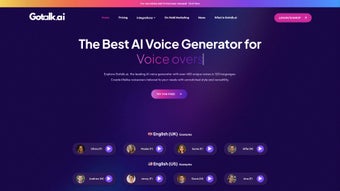
The interface is deliberately minimalist: users paste or type their script, select a voice from a growing library, and click “Generate.” Within seconds, Gotalk produces an MP3 or WAV file ready for download. The service also supports voice cloning, allowing premium users to upload a short sample of their own voice and create a custom digital twin for brand‑consistent audio output. Accessibility is at the core of Gotalk’s design—no technical expertise is required, and the platform is fully cloud‑based, meaning you can work from any device with an internet connection.
Security and privacy are handled with industry‑standard encryption, and all generated audio files are stored temporarily before being deleted from the server after download. Gotalk continuously updates its speech synthesis engine to stay ahead of linguistic trends and regional accents, ensuring that the output remains natural and relevant across different markets. In short, Gotalk is the go‑to tool for anyone who wants to transform text into a polished, human‑like voiceover quickly, affordably, and securely.
Key Features that Set Gotalk Apart
- Deep‑Learning Voice Synthesis: Utilizes state‑of‑the‑art neural networks to generate speech that mimics natural human rhythm and emotion.
- Extensive Voice Library: Over 150 voices across 30 languages, including regional accents and gender variations.
- Voice Cloning (Premium): Upload a 30‑second sample to create a custom voice model for brand consistency.
- One‑Click Generation: Paste text, select voice, and generate audio in under 10 seconds.
- Multiple Export Formats: Download as MP3, WAV, or OGG, with adjustable bitrate for optimal file size.
- Batch Processing: Upload CSV files to generate dozens of voiceovers in a single operation.
- API Access: Integrate Gotalk into your own applications, websites, or automation workflows via RESTful endpoints.
- Secure Cloud Storage: Encrypted temporary storage ensures privacy; files are automatically deleted after 24 hours.
- Cross‑Platform Compatibility: Works on Windows, macOS, Linux, Android, and iOS browsers—no installation required.
- Regular Updates & New Voices: Monthly model refinements and voice additions keep the service fresh.
Gotalk’s feature set is purpose‑built for speed and scalability. Marketers can produce dozens of localized ad scripts in minutes, educators can generate lecture narrations without hiring voice actors, and podcasters can add intro/outro segments without a studio. The batch processing and API capabilities especially empower developers to embed text‑to‑speech directly into SaaS platforms, CRM systems, or e‑learning portals, turning static text into engaging audio experiences at scale.
Moreover, the platform’s pricing model includes a free trial with 30 minutes of generated speech, allowing potential users to test the quality before committing to the subscription plan. For teams, Gotalk offers multi‑user accounts with role‑based permissions, ensuring that only authorized personnel can create or edit voice models. This blend of flexibility, power, and ease‑of‑use makes Gotalk a compelling choice for a broad spectrum of professional needs.
Installation, Usage Instructions & System Compatibility
Getting Started – No Download Required
Because Gotalk is entirely cloud‑based, there is no traditional installation process. To begin, navigate to gotalk.com using any modern browser (Chrome, Firefox, Edge, Safari). Click “Sign Up,” choose a plan (or start the free trial), and verify your email address. Once logged in, you will be taken to the dashboard where the text‑to‑speech editor resides.
Step‑by‑Step Workflow
- Enter Your Script: Paste or type directly into the text box. The editor supports rich‑text formatting, markdown, and basic HTML tags for emphasis.
- Select a Voice: Browse the voice library, filter by language, gender, or accent, and click to preview a 5‑second sample.
- Adjust Settings: Fine‑tune speech speed, pitch, and volume sliders to match your desired tone.
- Generate Audio: Press the “Generate” button. The AI processes the request on Gotalk’s servers and presents a playback widget with the result.
- Download or Export: Choose MP3, WAV, or OGG, set the bitrate (64‑320 kbps), and click “Download.” For batch jobs, upload a CSV file and let Gotalk handle the rest.
Compatibility Details
Gotalk runs flawlessly on all major operating systems because it relies on standard web technologies. Tested browsers include:
- Windows 10/11 – Chrome, Edge, Firefox
- macOS Ventura and later – Safari, Chrome, Firefox
- Linux (Ubuntu, Fedora, etc.) – Chrome, Firefox
- iOS 14+ – Safari, Chrome
- Android 9+ – Chrome, Firefox
Since the processing occurs on remote servers, device performance has minimal impact on generation speed. However, a stable internet connection (minimum 5 Mbps) is recommended for optimal experience, especially when handling large batch uploads or high‑resolution audio files.
For developers, Gotalk’s API can be accessed via HTTPS with API keys generated in the user dashboard. The API is language‑agnostic, with example SDKs available for Python, JavaScript, and Java, making integration straightforward regardless of your tech stack.
Pros and Cons – An Honest Review
Pros
- Extremely realistic AI‑generated voices with emotional nuance.
- No software download—access from any device with a browser.
- Robust voice library covering many languages and accents.
- Voice cloning feature adds brand‑specific customization.
- Batch processing and API integration streamline large‑scale projects.
- Secure, encrypted cloud storage and automatic file deletion.
- Free trial allows users to evaluate quality before paying.
- Regular updates keep the technology cutting‑edge.
Cons
- Subscription cost may be high for occasional users.
- Voice cloning is limited to premium tiers.
- Internet dependency means offline work isn’t possible.
- Advanced settings (e.g., SSML) are hidden behind the premium UI.
- Audio file size can be large at higher bitrates, requiring more bandwidth.
Frequently Asked Questions
Can I use Gotalk for commercial projects?
Yes. All subscription plans include a commercial license, allowing you to use generated audio in videos, ads, podcasts, and other revenue‑generating content without additional royalties.
Is there a limit to how much text I can convert?
Free trial users are limited to 30 minutes of generated speech. Paid plans start at 10 hours per month, with higher tiers offering unlimited generation.
How secure is my data?
Gotalk uses TLS 1.3 encryption for all data transfers. Uploaded scripts and generated audio are stored temporarily and automatically deleted after 24 hours, ensuring privacy.
Can I integrate Gotalk with my existing workflow?
Absolutely. The platform offers a RESTful API, SDKs for popular languages, and webhooks for real‑time notifications, making it easy to embed text‑to‑speech into CMS, e‑learning platforms, or custom applications.
What browsers are supported?
Gotalk works with the latest versions of Chrome, Firefox, Edge, and Safari on both desktop and mobile devices. Older browsers may experience reduced performance.
Conclusion – Should You Download Gotalk?
If you need a fast, reliable, and high‑quality text‑to‑speech solution without the hassle of recording equipment, Gotalk is a top‑tier choice. Its deep‑learning engine delivers natural‑sounding voices, the voice library is impressively diverse, and the optional cloning feature gives brands a unique edge. While the subscription cost may be a consideration for hobbyists, the value provided—especially for marketers, educators, and developers—justifies the price. The free trial is generous enough to let you evaluate the audio fidelity before committing.
Ready to transform your scripts into professional voiceovers? Start your free trial today and experience the power of AI‑driven speech synthesis. With secure cloud processing, cross‑platform compatibility, and a robust API, Gotalk equips you to create compelling audio content at scale—fast, affordable, and effortlessly.



.png)



